


Pango Sheep: Count & Play
4.310.00 Reviews
App Specs
- Version
- 1.6.2
- Updated On
- License
- $5.99
- Downloads
- 10,000+
- Developer
- Studio Pango - Kids Fun preschool learning games
- Categories
- Educational
- Platform
- Android
Screenshots
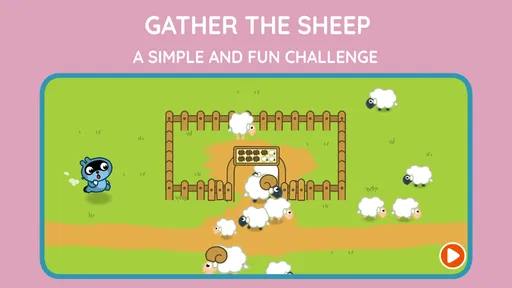
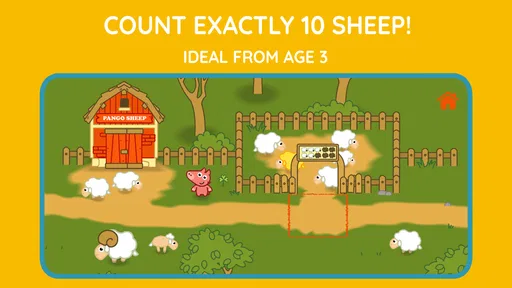
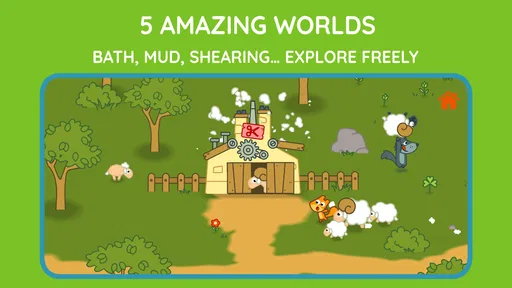
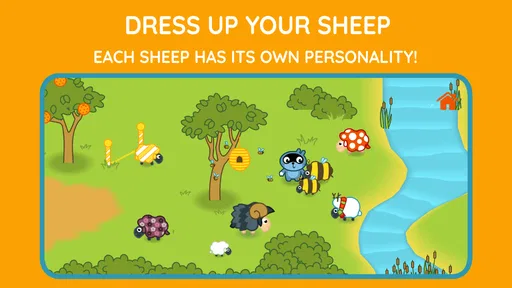
 Analysis by AppCompare
I found Pango Sheep: Count & Play most interesting as a quiet, hands-on learning game rather than as a typical fast preschool distraction. The basic idea is easy to understand: children explore a series of playful worlds, look for sheep, and practise numbers while moving through the scenes. That combination gives the game a clear purpose without making it feel like a worksheet.
After spending time with it, my impression is that it works best for a young child who enjoys discovering things independently but still benefits from a parent nearby. The activities are gentle, visual, and simple enough to approach without reading much. At the same time, the experience is focused enough that adults can use it for a short counting session instead of handing over an open-ended game with no obvious learning goal.
How the current game feels to play
The game belongs to the educational side of preschool entertainment, and its strongest quality is the way it turns counting into an activity. Rather than asking a child to sit through a long lesson, it gives the number practice a setting: the child explores, notices objects, and searches for sheep. That makes the learning feel connected to an action, which is usually more engaging for a preschooler than repeating numbers in isolation.
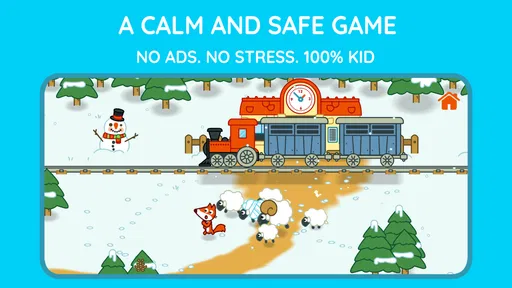
The five worlds give the experience a sense of movement. A child is not looking at one static counting screen over and over; there are different places to investigate, each encouraging observation before the answer becomes obvious. This matters because younger children often lose interest when an educational game presents the same exercise with only a new number. Here, the search itself helps create variety.
I also like the scale of the concept. It does not try to become a full virtual preschool with reading, drawing, memory games, music lessons, and dozens of unrelated subjects. The focus stays on finding and counting. For a parent who wants a small tool for early number awareness, that narrow design is a benefit. For a child expecting a large collection of mini-games, it may feel limited.
The most useful way to introduce it is to let the child explore first, then ask simple questions afterward. I might say, “How many sheep did you find?” or ask the child to show the number using fingers. This turns the app into a starting point for conversation instead of treating the screen as the entire lesson. The game supplies the visual situation; the adult can connect it to real objects around the home.
A good fit for early counting practice
This is aimed at preschool-aged children, and the Everyone content rating makes it suitable for a broad family audience. That rating should not be confused with the idea that every child will enjoy it equally. A child who already counts confidently may finish the central challenge quickly and want more advanced number work. A child who is still learning to recognise quantities can get more value from repeating the same world slowly and talking through what is visible.
Worth Reading Before You Choose

Flipboard Shows What News Apps Must Do Beyond the Feed

Switching to Android Auto Means Rethinking Your Driving Routine

Google Calendar Makes a Crowded Week Easier to Manage

Ludo King Makes the Most of the Minutes Between Plans

Baby Panda World Brings Quick Play to Modern Phones, but Its Game Library Feels Busy

ESPN’s Live Game View Makes Following Close Games Easier
I would especially consider it for a child who learns better by touching and looking than by listening to explanations. Searching for sheep gives the child a concrete task. It also supports a useful habit: scan the scene carefully before tapping. That small demand for attention is one of the less obvious strengths of the design, because it can encourage observation as well as number recognition.
One practical routine is to use a single world during a short quiet period, then stop before the child becomes frustrated or restless. The game does not need to become a long daily session to be worthwhile. A few minutes of focused searching followed by a real-world counting activity—socks, toy cars, pieces of fruit—can make the digital part more meaningful.
What the developer’s version history tells me
Studio Pango - Kids Fun preschool learning games released the game on December 10, 2015, and the current version is 1.6.2. That places it among the more established entries in the developer’s preschool catalogue rather than a brand-new experiment. The version number suggests an experience that has received incremental attention over time, but I would not treat it as evidence of a major redesign or a completely different game.
For an existing user, the practical takeaway is reassuringly simple: the current build remains recognisable as the same focused sheep-and-counting experience. Someone who liked its calm, compact approach is unlikely to be looking at a product that has suddenly changed direction. New users should still judge it by what it does now, not by assumptions that an older release must have grown into a much larger educational platform.
The minimum operating-system requirement is 7.1, so device compatibility is worth checking before purchase, especially if the game is intended for an older tablet kept for children. This is a small detail, but it can make a difference in a family where the child’s device is not the parent’s current phone. I would check the system requirement on the relevant store before planning a dedicated installation.
The game has reached over ten thousand installs, with an average rating of 4.3 from around one hundred forty ratings and ten reviews. Those figures suggest a modest but positive reception, not the kind of broad popularity that guarantees it will suit every child. I read that as a reason to focus on the design and the child’s learning style rather than relying on popularity alone.
How it compares with ordinary preschool alternatives
Compared with a general video app, this game has a much clearer learning purpose. A video can keep a child occupied, but it usually does not ask the child to inspect a scene and make a counting decision. The interactive search gives the child a reason to participate. On the other hand, a video may offer songs, stories, and a wider range of subjects, so families looking for variety will find this game narrower.
Compared with flashcards or printed counting worksheets, the game is more inviting for a child who resists formal practice. The worlds provide context and movement, while a worksheet is easier for an adult to control and repeat at a chosen difficulty. Paper activities also make it simpler to see exactly how a child writes or arranges numbers. I would use the app to spark interest and paper or physical objects to check whether the skill transfers away from the screen.
Compared with a large subscription-based preschool platform, the one-time price of $5.99 may appeal to families who want one specific experience rather than an entire library. The trade-off is obvious: a larger platform may cover letters, shapes, phonics, puzzles, and creative play, while this title concentrates on a smaller slice of early learning. If you want breadth, another option may be better. If you want a contained counting game, the focused approach is easier to understand.
Small details that improve the learning value
The first useful technique is to slow down the search instead of helping immediately. When a child misses a sheep, I would avoid pointing straight at it. Asking “Where have we not looked yet?” encourages a systematic scan and makes the child feel responsible for the discovery. This turns a simple hidden-object moment into practice with attention and persistence.
The second is to separate finding from counting. A child may locate every sheep but still count too quickly or skip one. After the search, I would invite the child to count again while touching or pointing to each animal. That gives the activity two stages: visual discovery followed by one-to-one counting. It is a more useful routine than simply celebrating the final number.
The third is to use the worlds as prompts for language. Even when the central goal is numbers, a parent can ask the child to describe where a sheep was found, what was nearby, or which area they checked first. This supports sequencing and vocabulary without pretending that the game is a full language course. The app remains specific; the adult conversation adds depth.
A fourth tip is to let the child demonstrate the answer physically. If the game presents a count, ask the child to place the same number of blocks on the table. This quickly reveals whether the child understands quantity or is only recognising a familiar visual pattern. It also prevents the session from ending with a correct tap that may not represent genuine counting ability.
Where the experience still falls short
The narrow subject is the main limitation. There is no reason to buy this expecting a complete preschool curriculum. A child who needs letter sounds, handwriting preparation, simple addition, or broader problem-solving practice will need other activities as well. Even within counting, parents should be prepared to extend the lesson themselves if they want practice with writing numerals or applying numbers to everyday situations.
The exploration format can also create uneven difficulty from one child to another. Some children will enjoy looking carefully through the worlds; others may tap rapidly or become impatient when the answer is not immediately visible. In the latter case, the parent may need to sit with the child and model how to search. That is not necessarily a flaw, but it means the game is not equally effortless for every preschooler.
Its age also affects how I would evaluate it. A release from 2015 can still provide a pleasant learning activity, but families who expect the visual polish, expansive content, or frequent novelty of newer preschool platforms may find it modest. The current version, 1.6.2, is important context: it identifies the build being used today, but it should not lead anyone to expect a modern platform with constant expansion.
The price deserves a little thought as well. At $5.99, it is not a free trial that can be installed casually and forgotten without consequence. I would choose it when the child specifically enjoys calm exploration and needs early counting practice. I would skip it when the main goal is a broad educational package, when the child is already beyond basic number discovery, or when the device does not meet the operating-system requirement.
Questions parents are likely to have
Will a child be able to use it alone? In my view, many preschoolers can begin exploring without constant instructions because the central task is easy to understand. However, independent play is not the same as independent learning. A short check-in from an adult helps confirm that the child is counting rather than merely tapping through the scene. Younger or easily frustrated children will benefit from a parent nearby, particularly during the first sessions.
Is it suitable for a child who is just starting to count? Yes, provided the adult treats it as guided practice rather than a test. Start by counting aloud together and allow the child to revisit a world. If the child already handles basic counting comfortably, the game may work better as a warm-up or observation activity than as a challenging lesson.
Does it replace physical learning materials? I would not use it that way. Its best role is to make number practice attractive and give the child a visual situation to discuss. Blocks, snacks, toys, drawings, and ordinary household objects remain important because they show whether the child can use the idea outside the game.
Is it a good purchase for an older preschooler? That depends on the child’s current level. The Everyone rating makes it broadly accessible, but the focused counting design may feel too simple for a child seeking more complex puzzles or several academic subjects. For that child, a broader educational app or hands-on number game could offer better value.
What should I watch for after installing it? I would pay attention to whether the child searches carefully, counts each sheep once, and can explain the result without copying the screen. Those behaviours matter more than how quickly the child reaches the end of a world. If the child is enjoying the scenes but not connecting them to quantity, pause and add physical counting before moving on.
My recommendation for the right household
I see this as a compact tool for families who want a calm, specific introduction to counting. Its five worlds give the child somewhere to explore, while the sheep provide a clear reason to look closely and keep track. The design is easier to use purposefully than an endless entertainment feed, and the focused subject makes it straightforward for a parent to build a short learning routine around it.
I would recommend it most to a preschooler who likes finding hidden things, benefits from visual tasks, and is beginning to connect number words with real quantities. I would be more cautious for children who need constant novelty, prefer songs and stories, or are ready for advanced number challenges. In those cases, the game may be pleasant but not sufficient.
My final judgement is that the game earns its place through focus rather than size. It is not trying to be an all-in-one school substitute, and that is both its appeal and its boundary. At $5.99, I would consider it a sensible purchase when the child’s needs match its gentle counting-and-exploration format. Used in short sessions and followed by real-world counting, it can become more than a way to pass time: it can be a simple bridge between noticing numbers on a screen and understanding quantities in everyday life.
Pros
- Simple counting games are suitable for preschool-aged children.
- Bright visuals and friendly sheep make the app inviting.
- Short activities work well for brief play sessions.
- Play encourages basic number recognition through repetition.
- Child-friendly interactions are easy to understand without reading.
Cons
- The learning content may feel too basic for older children.
- Replay value can be limited once activities become familiar.
- Some children may need adult guidance to stay focused.
- Progress tracking may not satisfy parents seeking detailed reports.
- The app may require a paid download or include purchase limitations.
FAQs for Pango Sheep: Count & Play
What is Pango Sheep: Count & Play?
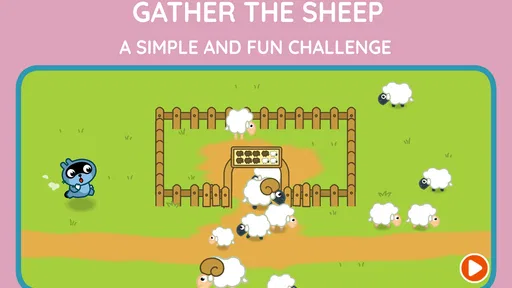
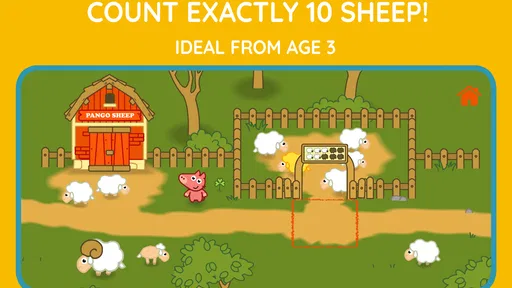
Pango Sheep: Count & Play is an educational game for young children that combines simple counting activities with playful interaction. Children can explore a colorful farm environment, meet sheep, and complete tasks designed to help them recognize numbers and practice basic counting. The experience is presented in a gentle, child-friendly format rather than as a competitive or difficult game.
What age group is Pango Sheep: Count & Play suitable for?
The game is mainly aimed at preschool children, especially those who are beginning to learn numbers and counting. Its simple controls, bright visuals, and short activities make it accessible to young players who may not yet be comfortable reading. Parents should still consider their child’s individual development, as some children may need occasional guidance to understand the activities or navigate the menus.
Does Pango Sheep: Count & Play require reading skills or adult assistance?
Advanced reading skills are generally not necessary because the game relies heavily on visual instructions, familiar objects, and direct interaction. Younger children may nevertheless benefit from an adult introducing the game and explaining what to do during the first sessions. Once they understand the basic controls, many children can explore the counting activities independently at their own pace.
Is Pango Sheep: Count & Play safe for children, and does it include advertisements?
Pango Sheep: Count & Play is designed as a child-focused educational experience, with an interface intended to keep distractions to a minimum. Parents should check the current store listing and the app’s settings before downloading, since advertising, purchases, privacy features, and parental controls can vary by platform or version. It is also recommended that adults review permissions and supervise initial use.
Can Pango Sheep: Count & Play be played offline?
The core activities may be playable without a continuous internet connection after the application has been installed, which is useful for travel or limiting online access. However, internet access may still be needed for downloading the app, installing updates, restoring purchases, or accessing store-related functions. Because offline behavior can change between releases, parents should confirm the latest requirements on Google Play or the App Store.


